eezo - Download the Best Smart Security App
In a world where home and business security are of paramount importance, the eezo App offers a groundbreaking solution that makes it easier, smarter, and more accessible than ever before to keep your property safe. Paired with the eezo Series cameras, the app allows you to monitor, manage, and secure your premises from virtually anywhere in the world, directly from your smartphone or tablet.
With the rise of smart homes and IoT (Internet of Things), security cameras have evolved from simple surveillance tools to intelligent devices equipped with AI, real-time alerts, and cloud-based storage. The eezo App represents the next step in this evolution, providing a seamless and user-friendly interface for all your security needs.
In this article, we'll dive deep into the eezo App’s features, explore its latest updates, assess its pros and cons, and answer some frequently asked questions to help you understand why it might be the perfect solution for your home or business.
What is the eezo App?The eezo App is a mobile application designed to work seamlessly with eezo Series cameras. It allows you to access live video feeds, control camera settings, receive alerts, and even communicate directly with people in the vicinity of the camera. Whether you're keeping an eye on your home, monitoring your business, or watching over elderly relatives, the eezo App offers a comprehensive and intuitive security solution.
The app supports features like live video streaming, recorded playback, two-way audio, motion detection, AI-powered alerts, and more. With constant updates, the eezo App is designed to evolve with user needs, integrating advanced technologies to make surveillance simpler and more effective.
Key Features of the eezo App
1. Remote Monitoring and Control
The eezo App allows you to monitor your eezo Series cameras from anywhere, offering remote access via your smartphone or tablet. This is perfect for people who need to keep an eye on their property while away on vacation, at work, or even when traveling abroad.
Live Streaming: Watch real-time video footage of your home or business at any given moment. The high-definition cameras provide crystal-clear images, ensuring you don’t miss any detail.
Playback: In case you need to review past events, the eezo App allows you to easily access and play back recorded footage from the cameras.
2. Two-Way Audio
The two-way audio feature allows you to interact with anyone near your cameras, making it especially useful for homes or offices with remote access. Whether it's to communicate with family members, warn off intruders, or simply check in on the kids, this feature adds an extra layer of convenience and security.
3. Motion Detection and Smart Alerts
With motion detection capabilities, the eezo App can send you instant alerts whenever movement is detected. The app supports AI-powered human detection, which minimizes false alarms by ensuring that only human movements trigger notifications. This makes it ideal for households with pets or areas with a lot of foot traffic.
You can also adjust the sensitivity of the motion detection, ensuring that you are notified only when necessary.
4. Security Enhancements
The eezo App places a high priority on user security and privacy. All footage and audio recordings are encrypted using state-of-the-art encryption technology to protect your data. Additionally, the app complies with GDPR regulations, ensuring that your personal data is handled with care and in line with privacy laws.
5. Cloud and Local Storage Options
The eezo App allows you to choose between cloud storage and local storage (via an SD card). This flexibility ensures that you can store video footage according to your preference. Cloud storage offers secure, off-site backup, while local storage allows you to keep recordings on-site for easy access.
6. Sharing and Collaboration
The app supports multi-user access, enabling you to share your devices with family members, friends, or colleagues. You can control the level of access each person has, ensuring that they can either just view footage or also control camera settings, depending on their permissions.
7. Device Grouping and Management
If you have multiple cameras set up, the eezo App makes managing them easy. You can create device groups to organize your cameras, allowing you to monitor specific areas or rooms of your home or office with just a few taps.
Download eezo App on Your Android & iOS Devices
The eezo App offers a simple and convenient way to manage and monitor your eezo Series cameras, whether you're at home or on the go. Available for both Android and iOS devices, the eezo App makes it easier than ever to stay connected to your security system with just a few taps on your smartphone or tablet.
For Android Users:
Open the Google Play Store on your Android device.
Search for “eezo App” in the search bar.
Tap on the Install button to download the app to your device.
Once installed, open the app and follow the prompts to set up your account and connect your eezo Series cameras.
For iOS Users:
Open the App Store on your iPhone or iPad.
Search for “eezo App.”
Tap Get and then Install to download the app.
After installation, launch the app and sign in or create a new account to get started.
Latest Updates in the eezo App
The eezo App is continually updated to offer more features, improve performance, and enhance user experience. Below are some of the latest updates to the app that make it even more powerful and user-friendly.
1. Updated User Interface (UI)
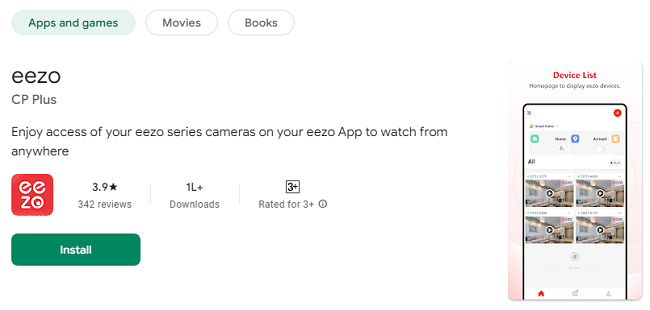
The new UI design makes the eezo App more intuitive and easier to navigate. With a cleaner and more organized layout, users can quickly access key features like live video, recorded footage, settings, and notifications. The UI also supports mini-card mode, which displays camera feeds in a more compact, easy-to-read format.
2. Enhanced Motion Detection Algorithms
Recent updates to the motion detection system have improved accuracy and reduced false alerts. The AI-powered human detection technology now offers better differentiation between people and other moving objects, such as pets or passing vehicles.
3. Improved Cloud Storage Management
Cloud storage options have been expanded and refined. Users can now more easily manage their footage stored in the cloud, with improved search functions and better organization of video files.
4. Integration with Smart Home Devices
The eezo App now integrates with a variety of smart home devices, allowing you to control your cameras through voice assistants like Alexa or Google Assistant. This makes the eezo App even more seamless in a smart home ecosystem.
Pros of Using the eezo App
The eezo App offers numerous benefits that make it a great choice for security-conscious individuals and businesses. Here are some of its major advantages:
1. Easy Setup
Setting up the eezo App is straightforward, thanks to its user-friendly interface and easy-to-follow instructions. Whether you’re a tech novice or a seasoned pro, you’ll find the process simple and hassle-free.
2. Comprehensive Security Features
From live video streaming to motion detection, AI-powered alerts, and two-way audio, the eezo App covers all the essential security features. It provides everything you need to monitor your property effectively.
3. Remote Access and Control
Being able to access your cameras from anywhere is a major benefit, especially for those with multiple properties, frequent travelers, or business owners. You can monitor your home or office from the comfort of your phone, no matter where you are.
4. High-Quality Footage
The eezo Series cameras provide HD or 4K-quality video, ensuring that you capture every important detail. Whether it's identifying faces or reading license plates, the quality of the video is sharp and clear.
5. Data Security
With encryption protocols and GDPR compliance, the eezo App ensures that your footage and personal information are protected from unauthorized access, making it a trustworthy option for users concerned about privacy.
Cons of Using the eezo App
While the eezo App is packed with great features, it’s not without its drawbacks. Here are some cons to consider before you make a decision:
1. Requires Stable Internet Connection
For live video streaming, the app requires a stable internet connection. If your Wi-Fi is slow or unreliable, you might experience buffering or lag, which can be frustrating when monitoring important events.
2. Cloud Storage Costs
Although local storage via an SD card is free, cloud storage often comes with additional subscription costs. If you prefer to store your footage remotely for added security, this cost can add up over time.
3. Limited Advanced Features for Non-Premium Users
Some advanced features, like extended cloud storage and certain integrations, are locked behind premium subscriptions. While the free version of the eezo App offers essential features, you may need to upgrade to access the full suite of functionalities.
Frequently Asked Questions (FAQs) about the eezo App
1. Can I use the eezo App without a subscription?
Yes, you can use the eezo App without a subscription. The app offers essential features like live streaming, recorded playback, and motion detection for free. However, some advanced features like additional cloud storage and certain integrations require a premium subscription.
2. Is the eezo App compatible with iOS and Android?
Yes, the eezo App is available for both iOS and Android devices. You can download it from the App Store or Google Play Store depending on your device.
3. How do I set up the eezo App?
Setting up the eezo App is easy. Simply download the app, follow the on-screen instructions to connect your eezo Series cameras, and you’ll be ready to monitor your property within minutes.
4. Can I access my cameras while traveling abroad?
Yes, as long as you have an internet connection, you can access your cameras from anywhere in the world. The eezo App allows remote monitoring and control, making it a perfect solution for those who travel frequently.
5. Is my data safe with the eezo App?
Yes, the eezo App uses advanced encryption to protect your data. All audio and video transmissions are encrypted to ensure that your personal information and footage remain secure.
ConclusionThe eezo App is a powerful tool for anyone looking to enhance the security of their home or business. With its extensive features, including remote monitoring, motion detection, AI-powered alerts, and data security, it offers a comprehensive solution for modern surveillance. While it has its drawbacks, such as the need for a stable internet connection and optional subscription costs for premium features, the eezo App remains a reliable and user-friendly choice for those seeking smarter, more efficient security management.
Download the eezo App today and experience the future of surveillance in the palm of your hand.
Trending Now
Updates