eezo App: Download to Monitor Cameras, Get Alerts & Stay Secure
In today’s fast-paced world, staying connected and ensuring the safety of our loved ones has become a top priority. The eezo App, paired with the eezo series cameras, offers an unparalleled experience in remote monitoring and smart home security. Designed with cutting-edge technology and user-friendly features, the eezo App brings you closer to a safer and smarter lifestyle. This guide delves into everything you need to know about the eezo App—its features, benefits, pros and cons, and frequently asked questions—to help you make the most of your experience.
Why Download the eezo App?
The eezo App is a one-stop solution for monitoring and managing your eezo cameras. Whether you want to check on your home while traveling, ensure your kids are safe, or secure your property from intruders, the eezo App empowers you to do it all from your smartphone. With features like real-time communication, intelligent alerts, and encrypted data transmission, the app is tailored to meet modern security needs.
Key Benefits of the eezo App:
Remote Access Anytime, Anywhere: Stay connected to your home or office in real-time.
Enhanced Security: Instantly detect intrusions, motion, or unexpected sounds.
Simplified Sharing: Share access and moments with family and friends effortlessly.
Privacy Assurance: Adheres to GDPR standards with robust encryption.
Highlighted Features of the eezo App
Remote View and Control
Live View and Playback: Watch live footage or review recorded clips from any location, whether you’re at work, on vacation, or running errands.
Two-Way Communication: Communicate directly with family members or visitors through the app’s two-way talk feature.
Built-in Siren and Spotlight: Warn off intruders instantly with the integrated siren and spotlight functions.
SD Card Storage: Save videos locally on an SD card and access past recordings with ease.
Intelligent Alerts
Real-Time Notifications: Receive instant alerts when motion, intrusion, or unusual sounds are detected.
AI-Powered Detection: Avoid false alarms with advanced AI human detection technology.
Customizable Schedules: Set specific times for alerts to ensure uninterrupted peace of mind.
Security Guarantee
Privacy Compliance: Designed to prioritize user privacy, the eezo App adheres to GDPR standards.
Encrypted Transmission: Safeguard your audio and video feeds with advanced encryption technology.
Easy Sharing
Device Access Sharing: Grant access to your cameras to trusted individuals with customizable permissions.
Share Memories: Easily share video clips or snapshots of special moments.
Additional Features
Enhanced UI: The redesigned interface offers a seamless user experience.
Mini Card Mode: View devices in a compact display for quick access.
Device Grouping: Monitor multiple devices simultaneously by grouping them.
Quick Search: Locate your devices instantly using the search box.
Homepage Notifications: Stay updated with alarm messages displayed prominently on the homepage.
Step-by-Step Guide to Download and Use the eezo App
Download the eezo App:
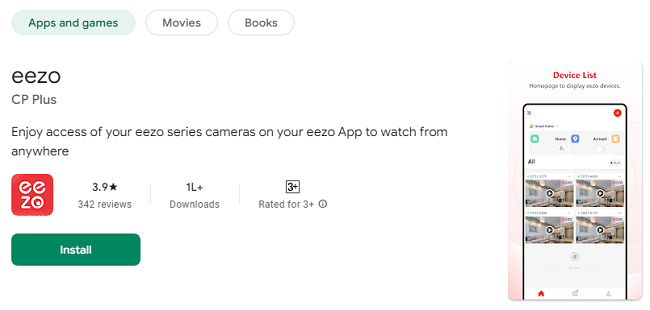
Visit the App Store (iOS) or Google Play Store (Android) and search for “eezo App.”
Click “Install” or “Download” to begin the process.
Set Up Your Account:
Open the app and create an account using your email or phone number.
Verify your account through the provided confirmation link or code.
Connect Your eezo Camera:
Turn on your eezo camera and ensure it is connected to a power source.
Follow the app’s on-screen instructions to pair your device via Wi-Fi.
Customize Your Settings:
Adjust settings like motion detection sensitivity, alert schedules, and video quality to suit your needs.
Start Monitoring:
Access live feeds, playback recordings, and communicate via the two-way talk feature.
Pros of the eezo App
User-Friendly Interface: Easy navigation and intuitive controls make it suitable for all age groups.
Advanced AI Features: Minimizes false alarms and ensures accurate detection.
Flexible Storage Options: Choose between SD card storage or cloud-based solutions.
Real-Time Connectivity: Instant notifications and live monitoring keep you updated.
Scalability: Ideal for both small homes and large properties with multiple cameras.
Cons of the eezo App
Internet Dependency: Requires a stable internet connection for optimal performance.
Subscription Costs: Some features may require a paid subscription.
Initial Setup Challenges: Pairing devices may be slightly complex for non-tech-savvy users.
Limited Compatibility: Currently supports only eezo-branded cameras.
Frequently Asked Questions (FAQs)
1. Is the eezo App free to use?
Yes, the app is free to download and use, but certain advanced features may require a subscription.
2. Can I access the eezo App on multiple devices?
Absolutely! You can log in to your account on multiple devices to monitor your cameras simultaneously.
3. Does the app work without an internet connection?
While you can record locally on an SD card, features like live view, notifications, and remote access require an active internet connection.
4. How secure is the eezo App?
The eezo App complies with GDPR standards and uses encryption to protect your data, ensuring maximum security and privacy.
5. Can I share access with others?
Yes, the app allows you to share camera access with family and friends, with customizable permissions for added control.
6. What happens if my phone is lost?
Simply log out of your account remotely using another device or contact eezo support to secure your data.
7. Is the eezo App compatible with other brands?
No, the app is designed exclusively for eezo series cameras to ensure seamless functionality and performance.
8. How do I reset my camera if it’s not connecting?
Refer to the camera’s manual for specific reset instructions or contact eezo’s customer support for assistance.
9. Can I schedule specific times for alerts?
Yes, the app offers customizable alert schedules, so you only receive notifications during specified times.
10. Does the app support multiple languages?
Yes, the eezo App supports a range of languages to cater to its diverse user base.
Final Thoughts
The eezo App is a powerful tool that combines convenience, security, and advanced technology to make your life simpler and safer. With its intuitive design and robust features, it’s the perfect companion for your eezo cameras. Whether you’re a tech enthusiast or a first-time user, the app’s flexibility and reliability make it an excellent choice for home and office security. Download the eezo App today and take the first step toward a smarter, securer lifestyle.
Trending Now
Updates